Mouse Actions
Actions in the Mouse group of the actions menu.
Click / Double click / Right click
Locates an element and clicks it. Shortcuts: Ctrl+Shift+X (Click), Ctrl+Shift+D (Double click), Ctrl+Shift+R (Right click).
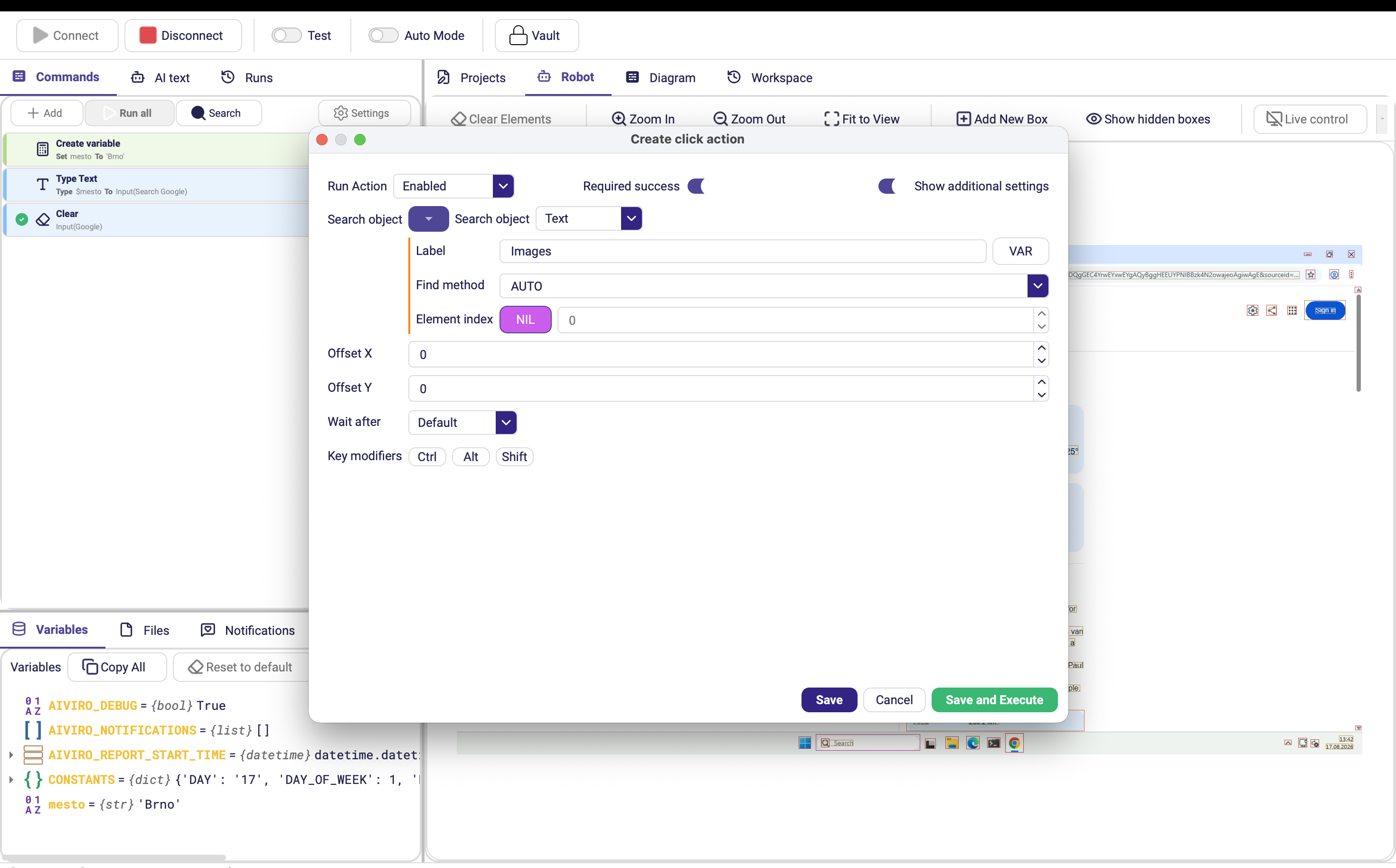
| Parameter | Description |
|---|---|
| Search object | Element to click. |
| Required success | Stop the scenario if the click fails. |
| Offset X / Offset Y | Pixel offset from the element's centre before clicking. Default 0. (Advanced options) |
| Wait after | Pause after the click. (Advanced options) |
| Key modifiers | Modifier keys held down during the click — Ctrl, Alt, Shift. (Advanced options) |
Right click has no Key modifiers parameter.
Move
Moves the cursor without clicking. Useful for triggering hover states and tooltips.
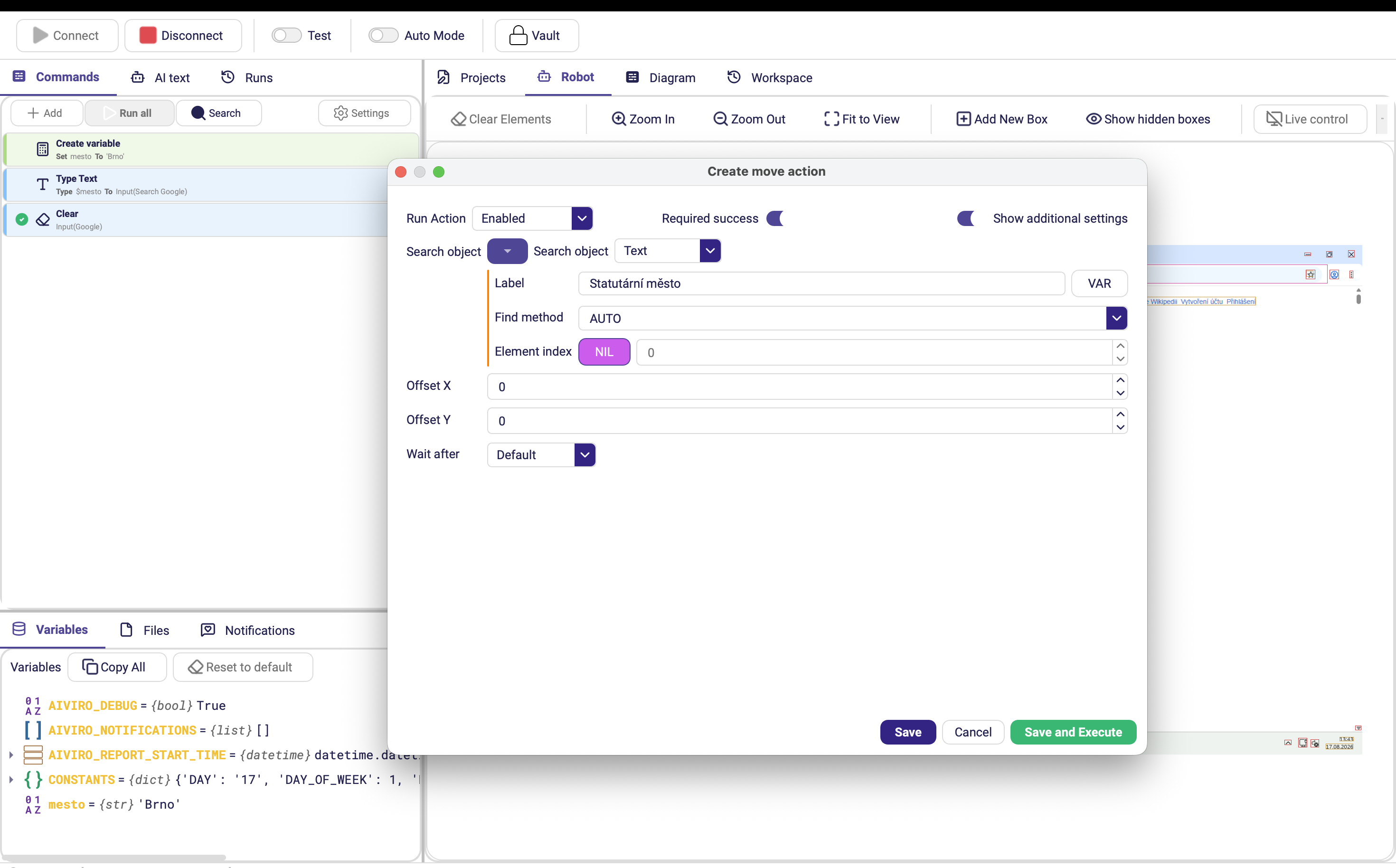
| Parameter | Description |
|---|---|
| Search object | Element to move the cursor to. |
| Required success | Stop the scenario if the cursor cannot be positioned. |
| Offset X / Offset Y | Pixel offset from the element's centre. (Advanced options) |
| Wait after | Pause after the move. (Advanced options) |
Drag & Drop
Presses the mouse button on one element, moves to another, and releases — the way to reorder list items, move files between panes, or draw a selection.
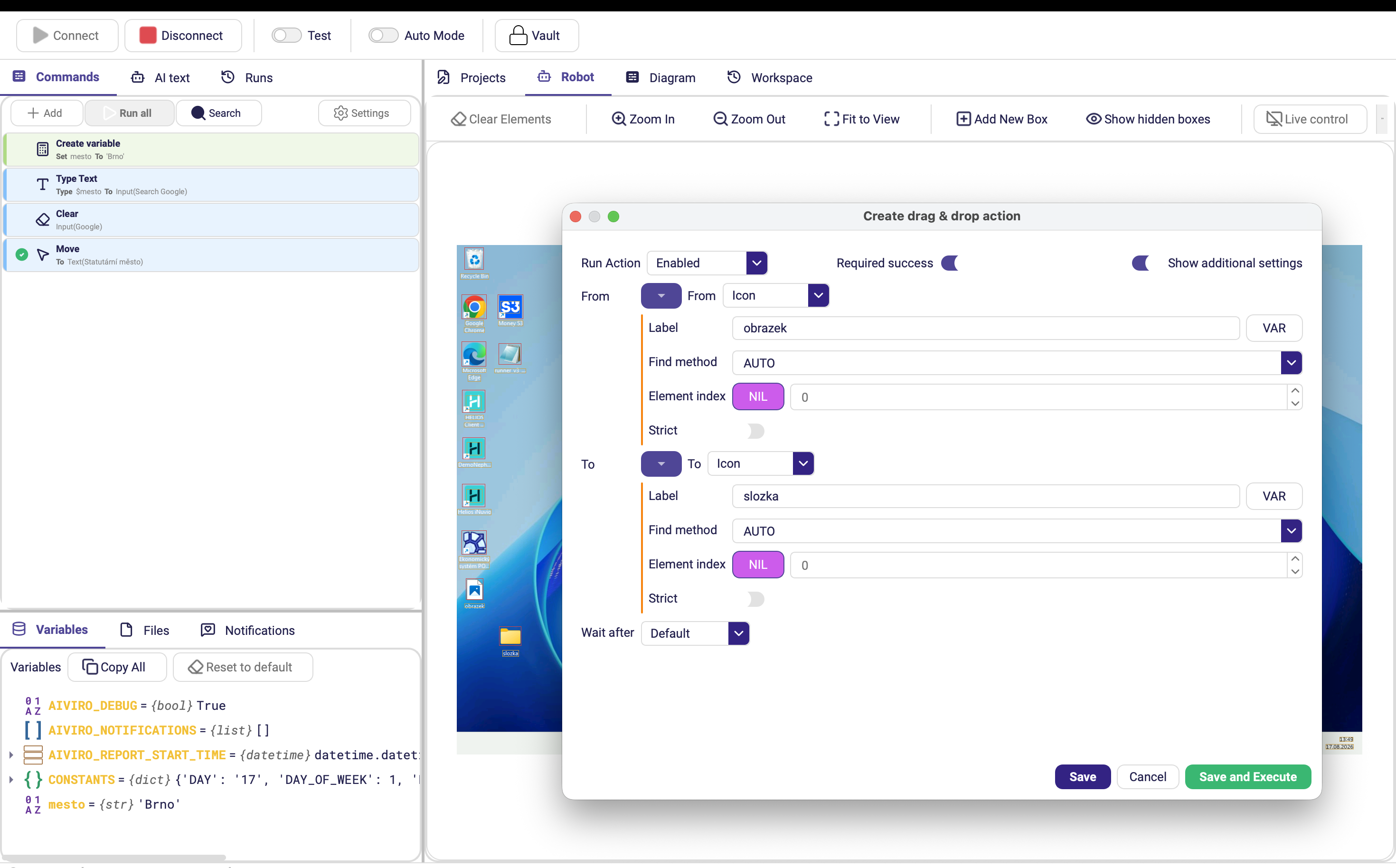
| Parameter | Description |
|---|---|
| Search object | Source and destination elements of the drag. |
| Required success | Stop the scenario if the drag fails. |
| Wait after | Pause after the drop. (Advanced options) |
Scroll
Scrolls a fixed number of wheel clicks.
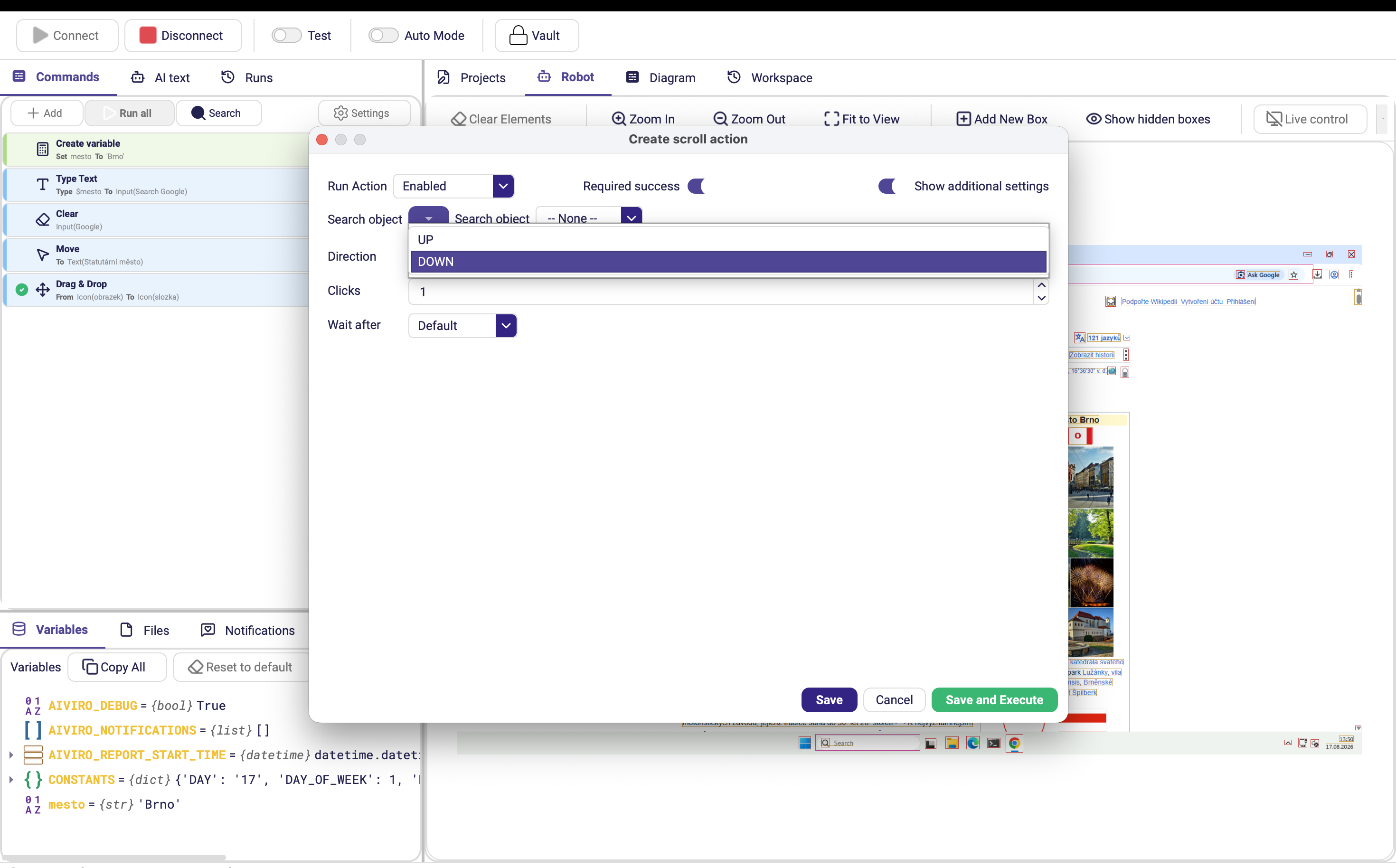
| Parameter | Description |
|---|---|
| Search object | Element to scroll over. Optional. |
| Direction | UP or DOWN. Default DOWN. |
| Clicks | Number of scroll-wheel clicks. Default 1. |
| Required success | Stop the scenario if scrolling fails. |
| Wait after | Pause after scrolling. (Advanced options) |
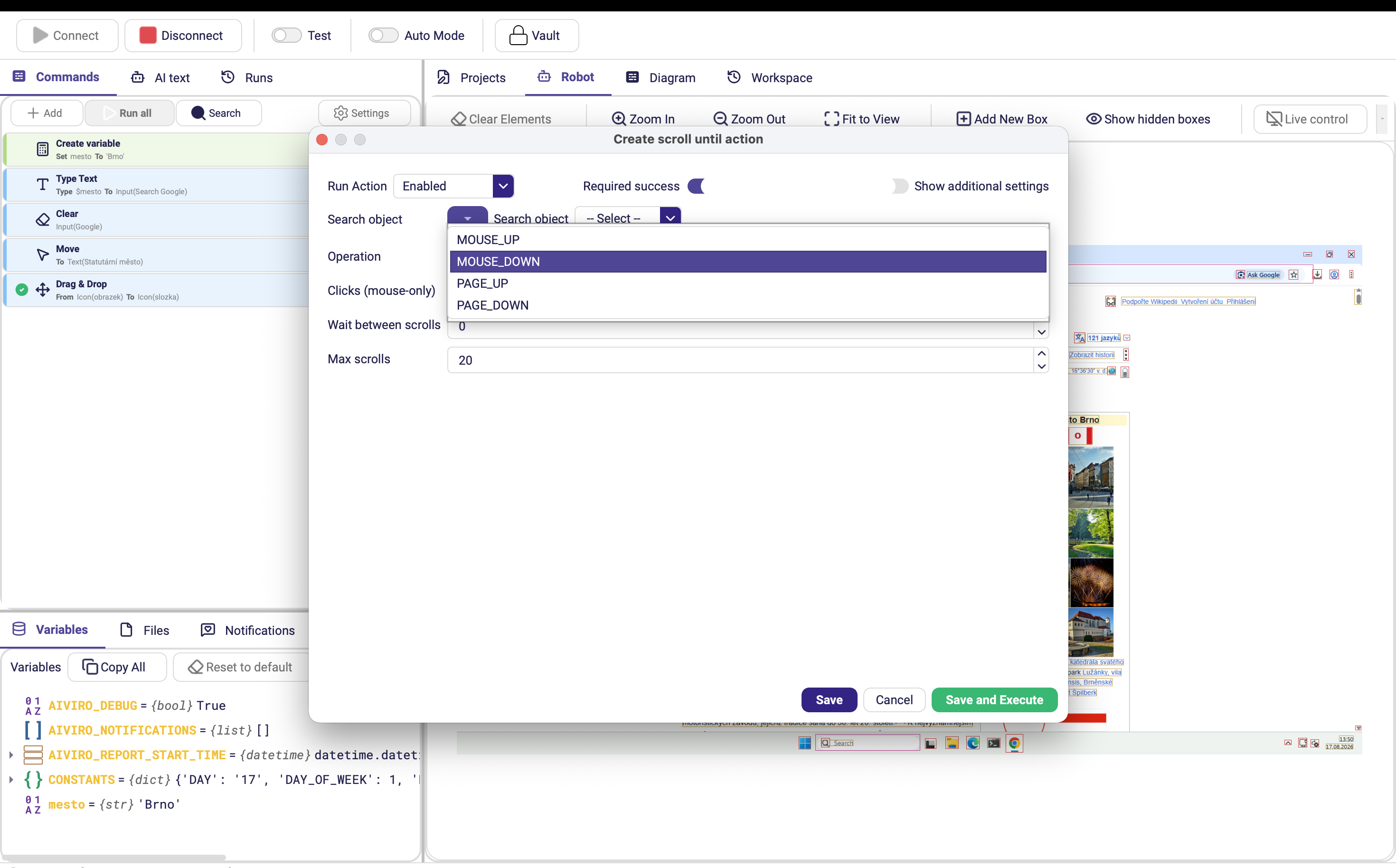
Scroll Until
Scrolls repeatedly until the target element appears — the right choice for long lists and tables where you do not know how far down the item is.
| Parameter | Description |
|---|---|
| Search object | Element to look for; scrolling stops once it is found. |
| Operation | Scroll method and direction. Default MOUSE_DOWN. |
| Clicks (mouse-only) | Wheel clicks per scroll step. Default 4. |
| Wait between scrolls | Delay between consecutive scroll steps. Default 0. |
| Max scrolls | Maximum number of scroll steps before the action fails. Default 20. |
| Required success | Stop the scenario if the element never appears. |
Raise Max scrolls rather than Clicks for very long lists — large jumps can scroll straight past the target, and the robot only looks at the screen between steps.