Special Objects
These objects do not represent interactive controls. They describe regions of the screen and are used mainly by the Screen actions — Set Working Area and Add Mask.
Area
A fixed rectangle given in screen coordinates. Create one in the live view with Add New Box, then drag its edges.
| Parameter | Description |
|---|---|
| X min | Left edge of the rectangle. |
| Y min | Top edge. |
| X max | Right edge. |
| Y max | Bottom edge. |
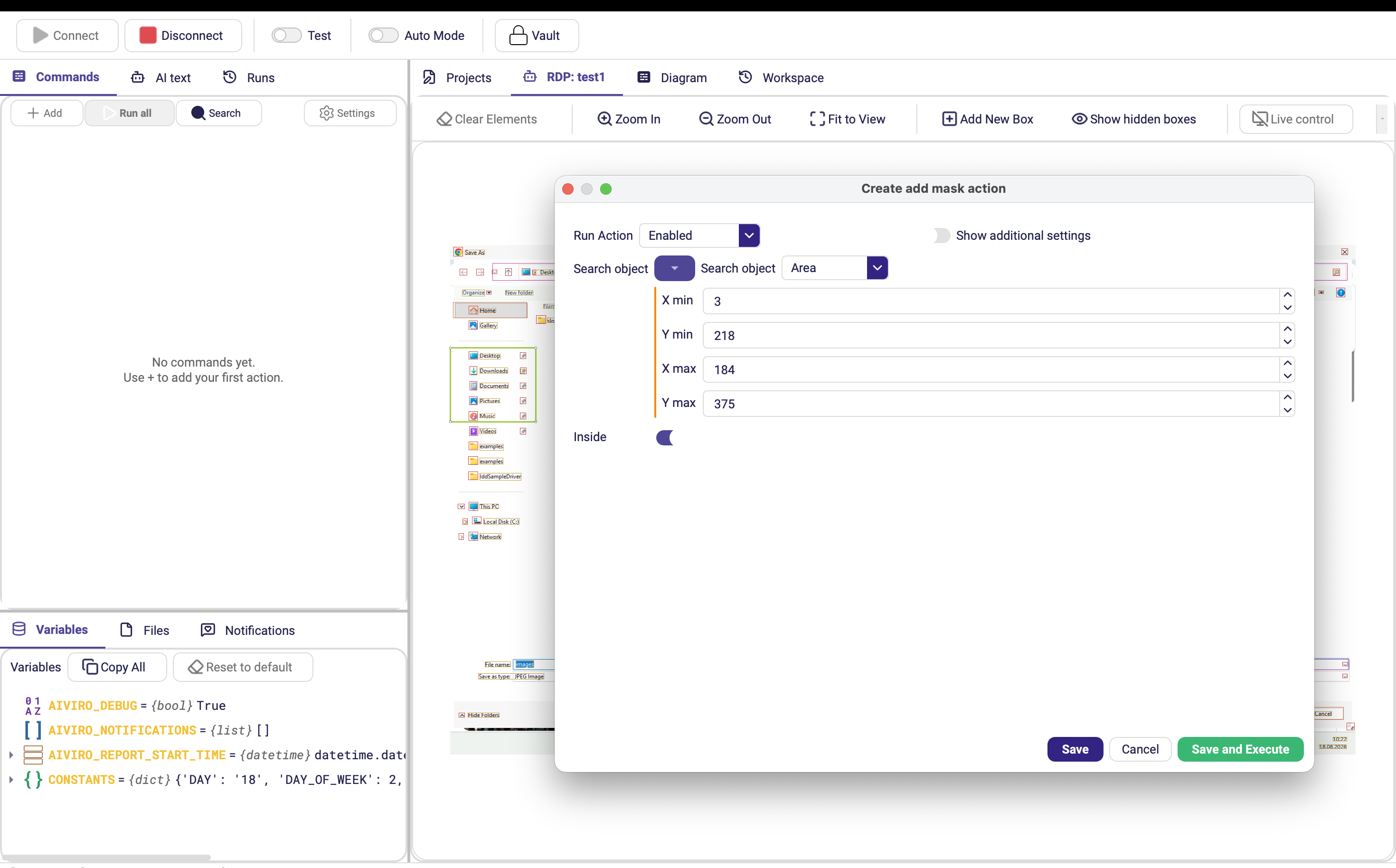
Coordinates are absolute. An Area stops working as soon as the window moves, the resolution changes or the remote session reconnects at a different size. Use it for stable full-screen regions (a fixed sidebar, a status bar) rather than for individual controls.
CustomBox
A rectangle derived from another element, so it moves with the UI. This is the robust alternative to Area.
| Parameter | Description |
|---|---|
| Search object | The reference element the box is built around. |
| Top offset | How far to extend the box above the reference. Optional. |
| Bottom offset | How far to extend it below. Optional. |
| Left offset | How far to extend it to the left. Optional. |
| Right offset | How far to extend it to the right. Optional. |
Any offset you leave empty keeps the reference element's own edge.
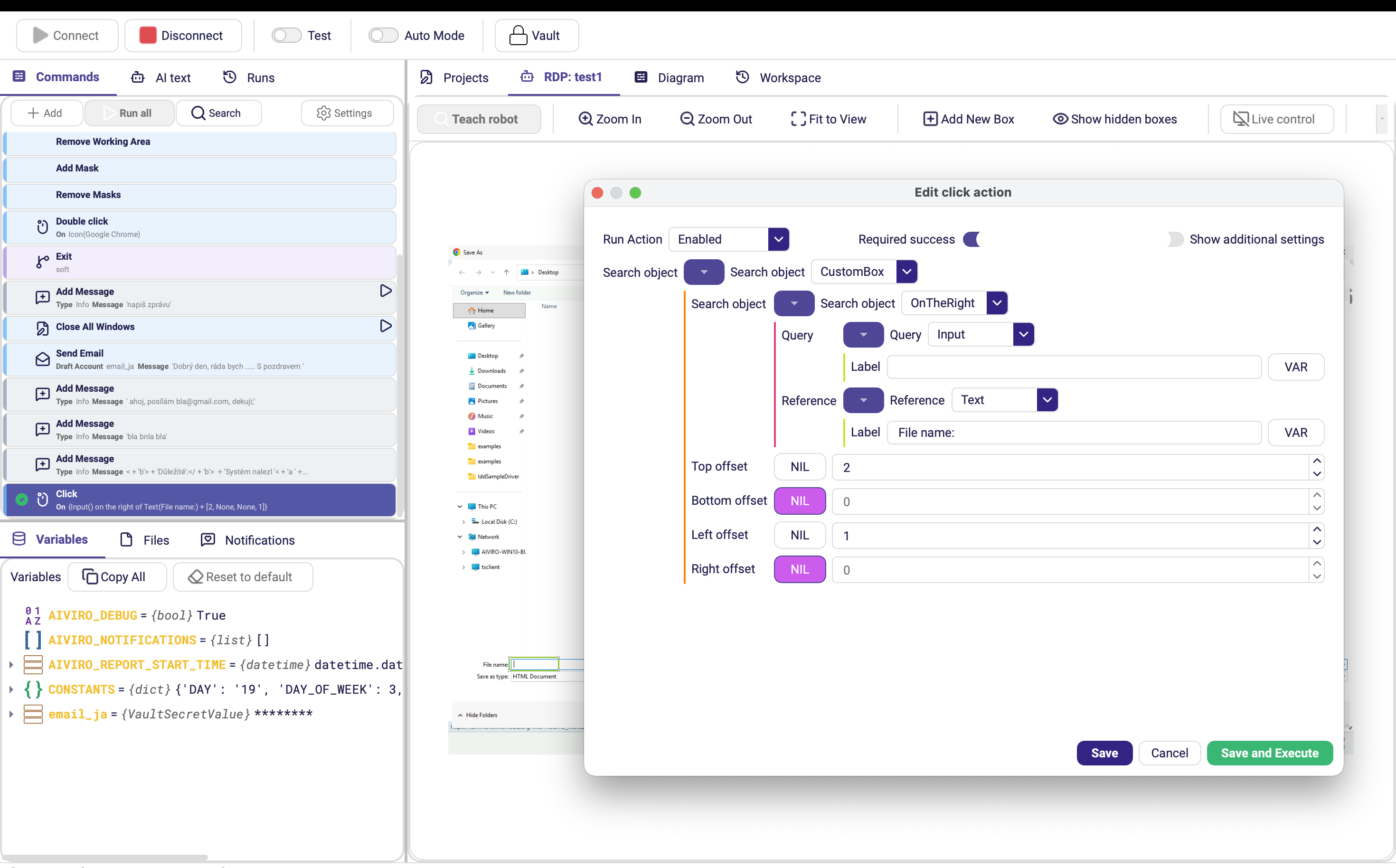
A CustomBox around a table header is a good way to restrict a search to one column: anchor on the header, extend Bottom offset down over the rows, and set that box as the working area before reading values.